Run the service from the plan
Once the plan is ready, you can run the whole service with the arrow keys or a presenter clicker, and see where you are against the clock.
Double-click the first item
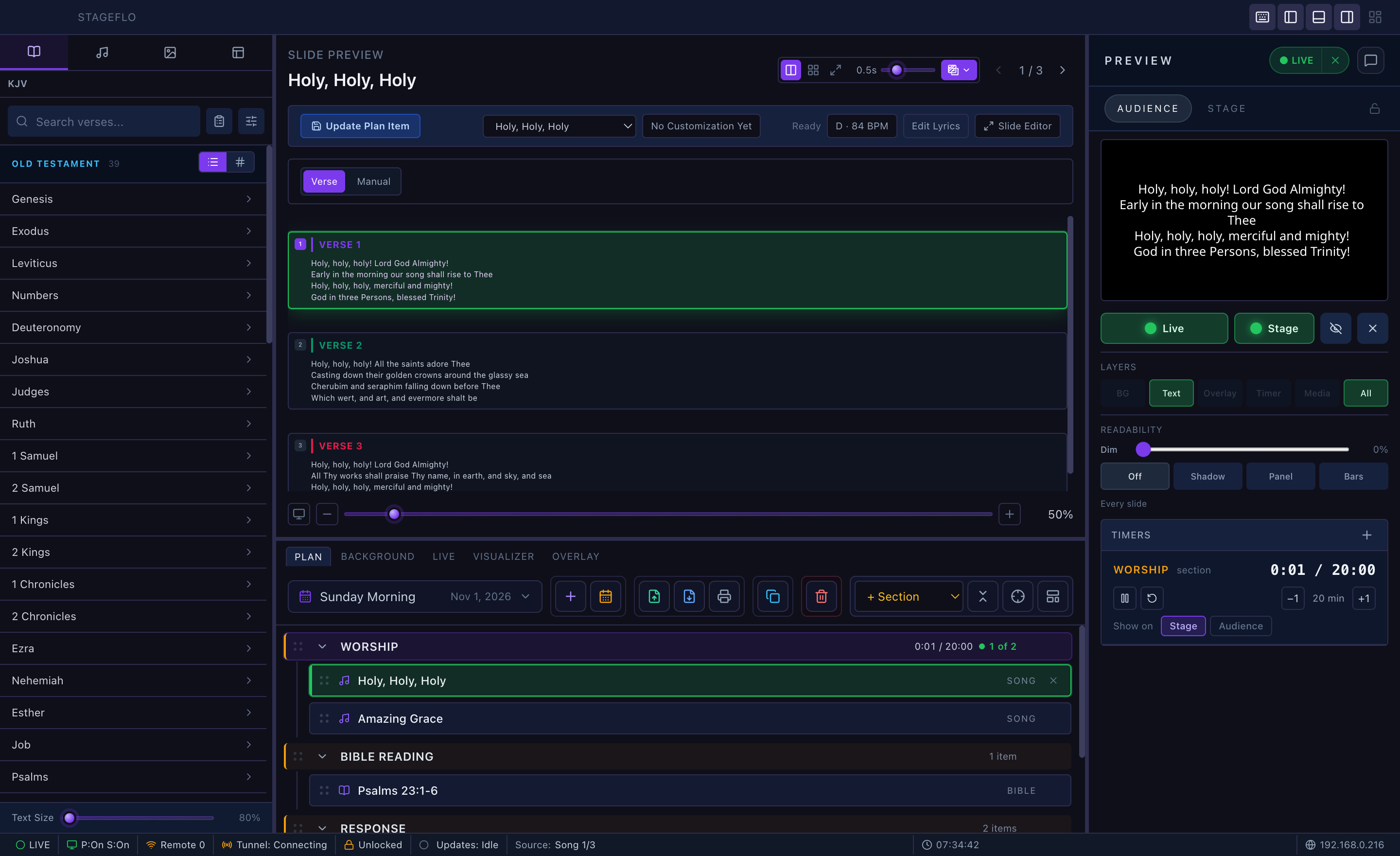
Double-click an item to open it and put it on the screens in one step. A single click only opens it in the preview.

It's live
The item turns green in the plan and the preview shows what's on the screens. Press → or Space for the next slide.
→ again moves on to the next item
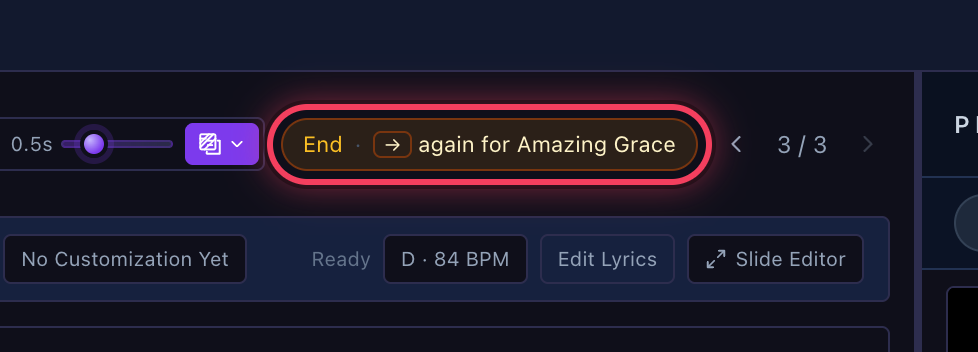
On an item's last slide, → shows End · → again for … above the slides. Press → again to open the next item, into the next section when that's where it is.
Turn on Focus
The crosshair keeps only the section the service is in open, and follows the service as it moves on.

Keep the section on time
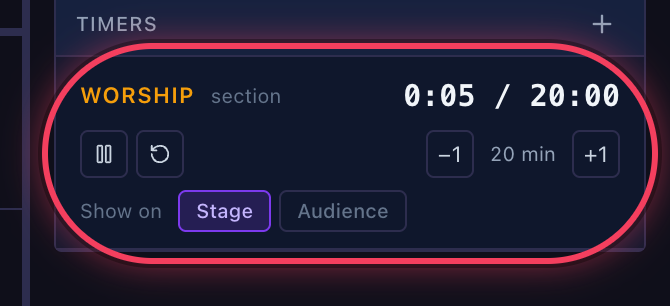
The Timers panel shows the section's time so far against its plan, with pause, restart and −1 / +1 minute. Show on chooses Stage, Audience or both.
The stage sees it too
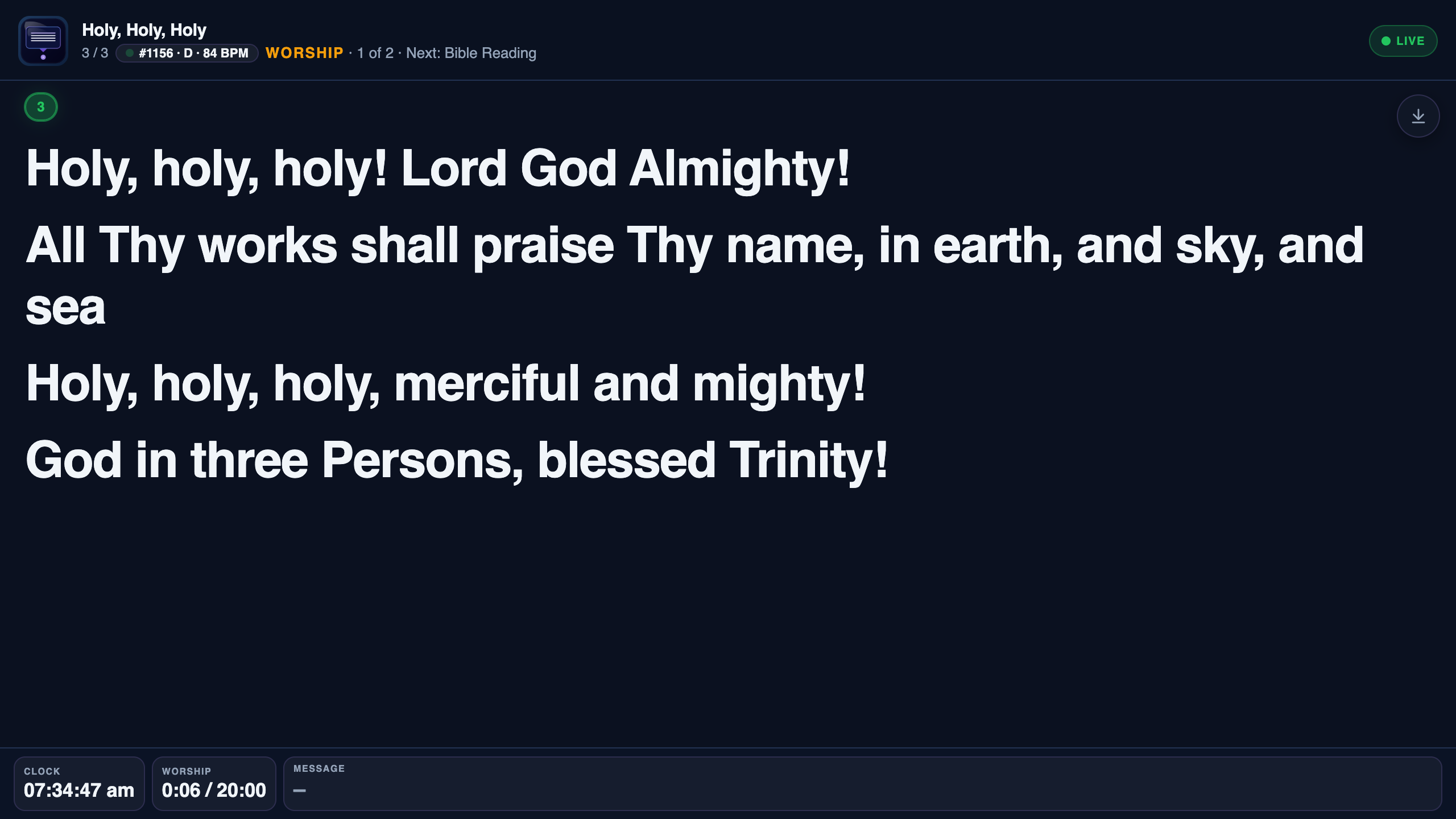
The stage screen and the stage link show the section, such as WORSHIP · 1 of 2 · Next: Bible Reading, with its clock.