Save your Sunday service as a template
Set up one plan the way every Sunday starts, save it once, then start each new week from it with the sections, timers and weekly slides already in place.
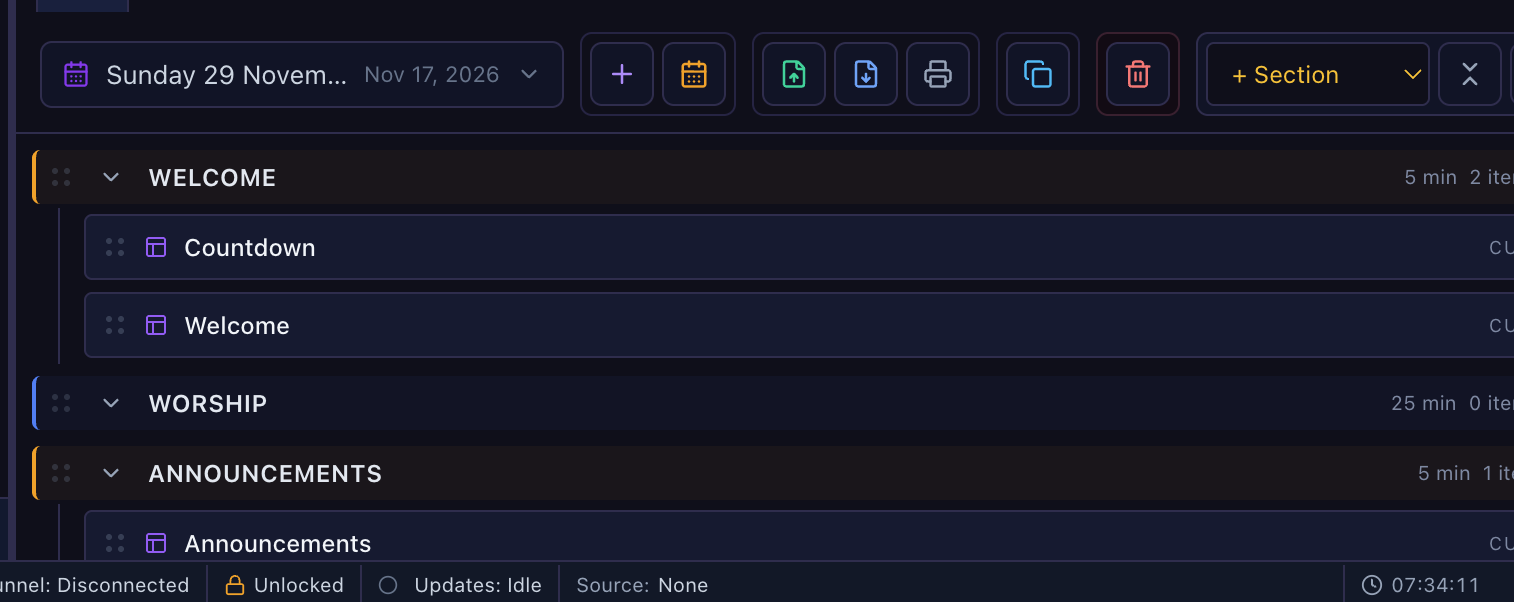
Before you start, open the plan you want to copy
- Sections in order (Welcome, Worship, Announcements, Message, Offering…)
- Timers: right-click a section → Planned time…, and Count down the planned time for ones like Message
- Weekly items in their sections: countdown slide, welcome slide, announcements, offering video
- Remove this week's songs and readings, so they don't come back every week
Click the Templates button
It is the last button at the right end of the plan toolbar, after + Section, the close-all arrows and the crosshair.

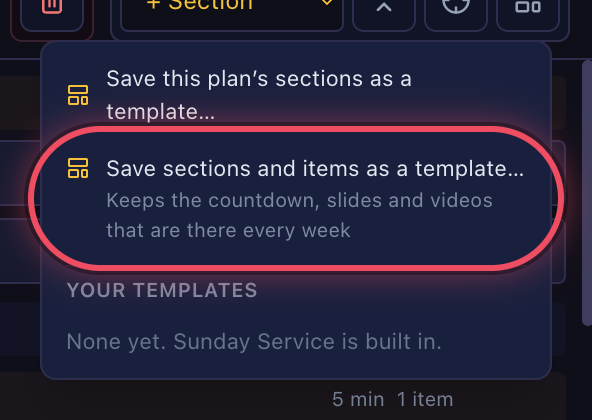
Choose “Save sections and items as a template…”
The second choice keeps the items too. The first one only keeps the section names and their timers.
Give it a name and click Save Template
The box lists what will be kept, such as the sections and 3 items. Type a name like Our Sunday Service.
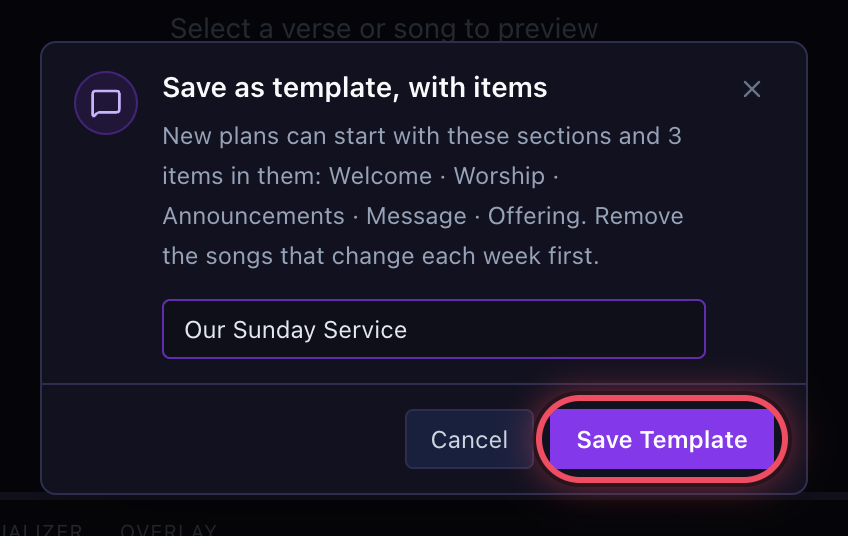 Use a name other than “Sunday Service”: that one is built in, so the same name would show twice.
Each week, click New Plan (+)
The + button next to the plan name starts a new plan.

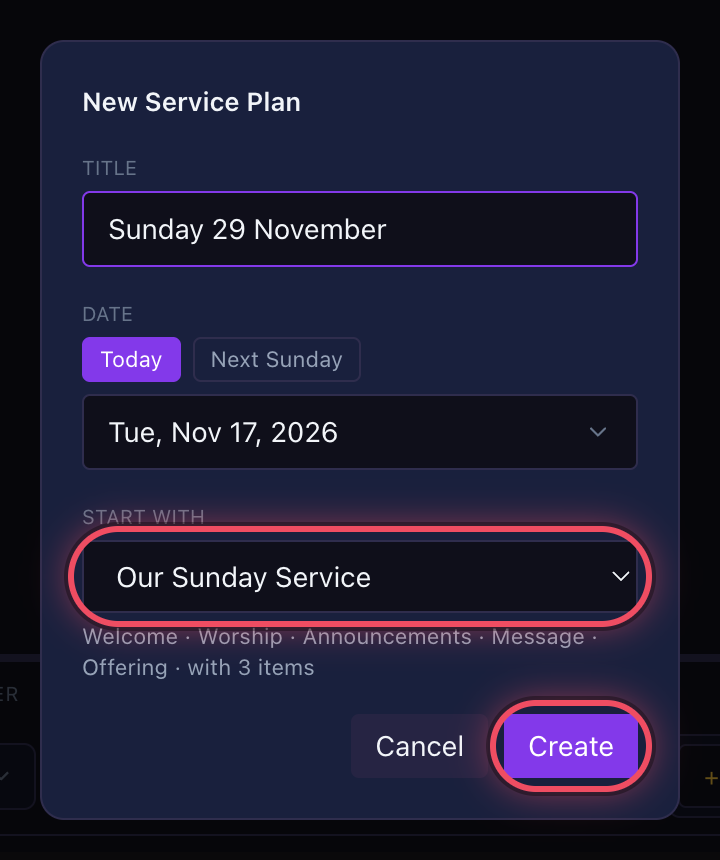
Pick your template under “Start with” and click Create
Type the title and date, then set Start with to your template. Below it you'll see its sections and how many items come with it.
The new plan opens ready to fill
Sections, planned times, count-downs and weekly items are all in place. Add this week's songs into Worship and the readings, and you're set.