
Give the band its own stage screen
Each stage screen can have its own layout: chords and the key for the band, the next slide for the preacher. Make the layout once, then choose it for a screen.
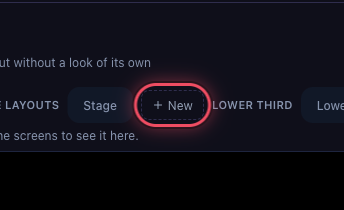
Click + New under Stage layouts
In Settings → Looks, click + New next to Stage layouts. It starts as a copy of the Stage layout.
Name it
Type a name such as Band monitor and press Enter. Choose a Template below: Classic, Focus or Compact.

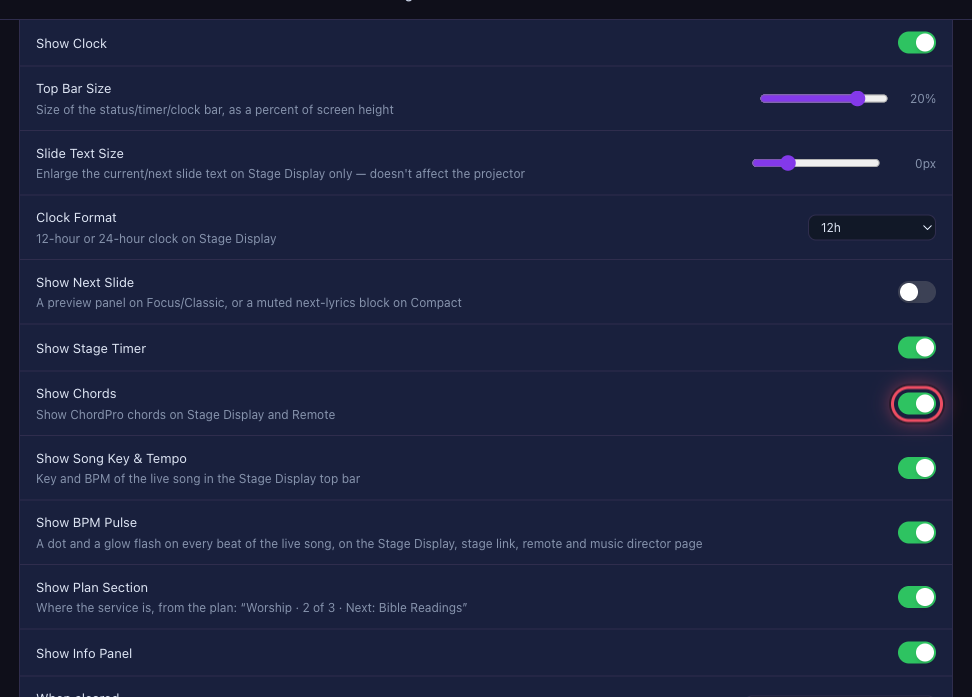
Turn on what the band needs
Switch on Show Chords, and check Show Song Key & Tempo and Show BPM Pulse. Turn off what they don't need.
Use it on the stage screen
In Settings → Outputs → Stage, choose Band monitor under Layout, then press Apply.
 With two stage screens on Same picture, select a screen first to give it its own layout.